
How to Rate or Review a Podcast on Apple Podcasts
Podcast reviews are a public, visible way to share what you think about a show — its content, how it sounds, and what it’s like to listen to. They help other listeners discover great podcasts and give creators a friendly pat on the back (or some helpful advice).
It’s worth knowing that reviews can’t be removed by the show that receives them, and podcasters aren’t able to reply. So if you spot a typo, have a complaint, or find a bug, we recommend messaging the podcaster directly through their website, social media, or email so they have a chance to respond and put things right.
Ready? Here’s how to leave a rating or review on Apple Podcasts from your iPhone or iPad.
1. Open the Apple Podcasts app
On your iPhone or iPad, launch Apple’s Podcasts app.

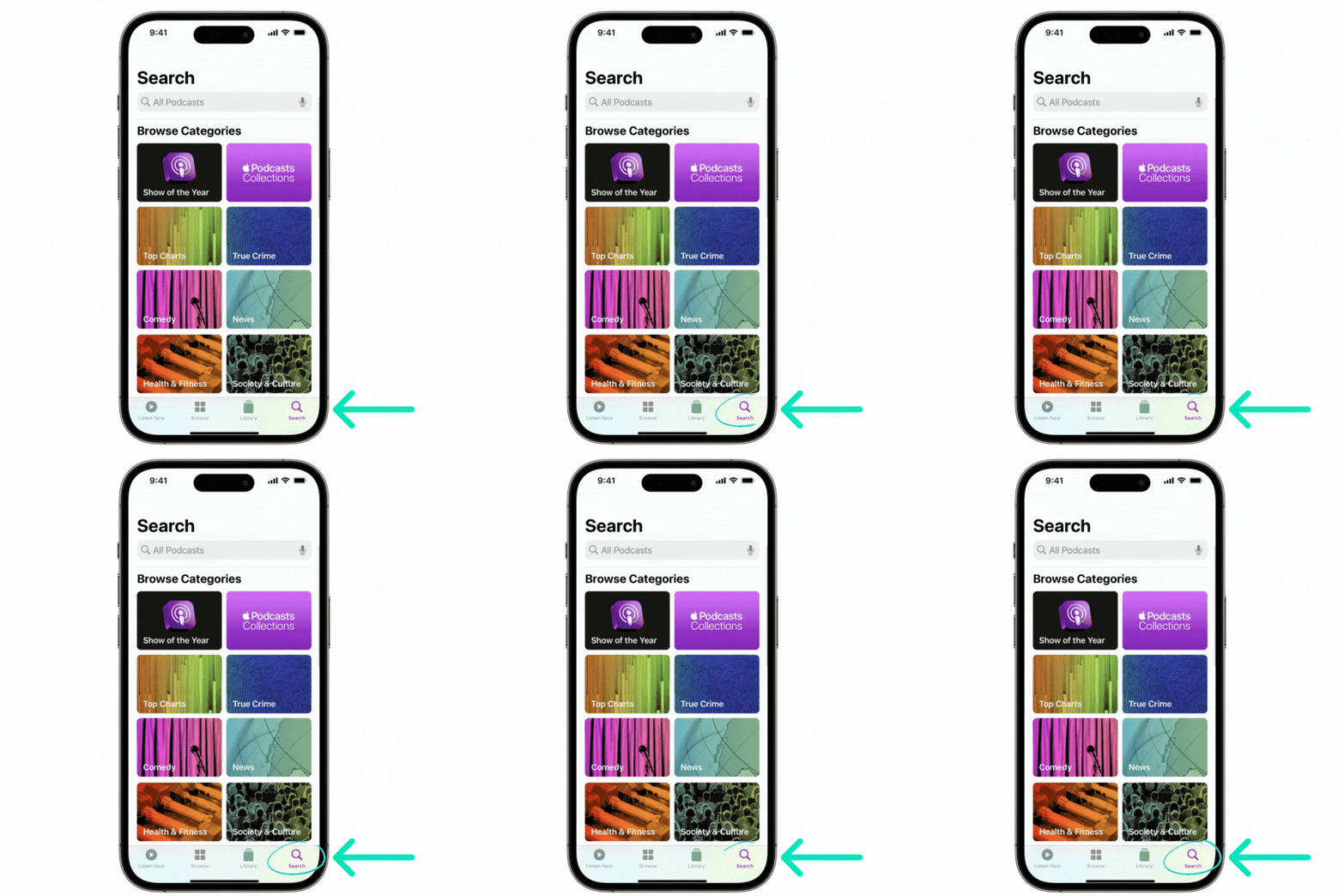
2. Tap the Search tab
Tap Search in the lower-right corner of the screen.
3. Search for the show
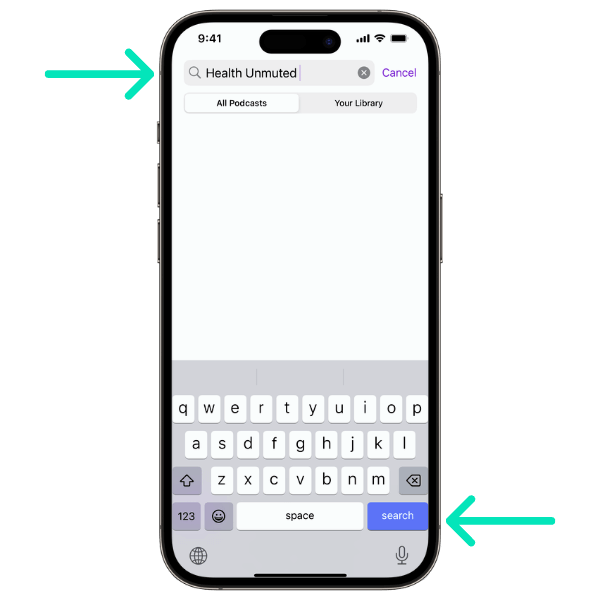
Enter the name of the podcast you want to rate or review, then tap the blue Search key, or tap the show’s name in the drop-down list.
4. Open the show
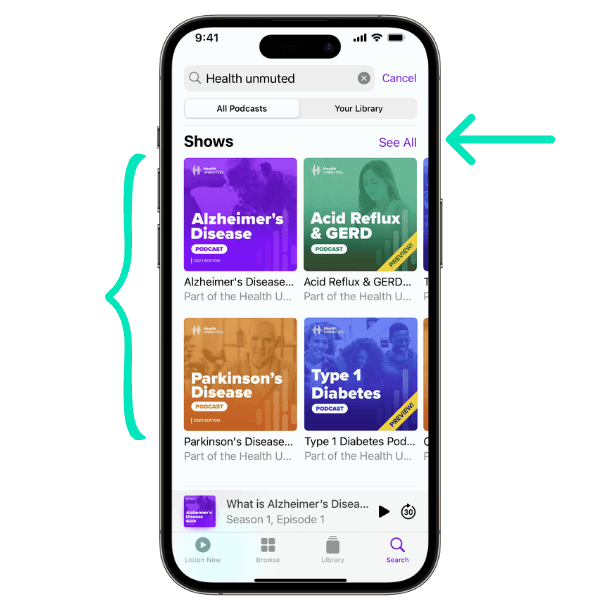
Tap the album art for the podcast you’d like to review, or tap See All to reveal more shows.
5. Scroll to Ratings & Reviews and tap “Write a Review”
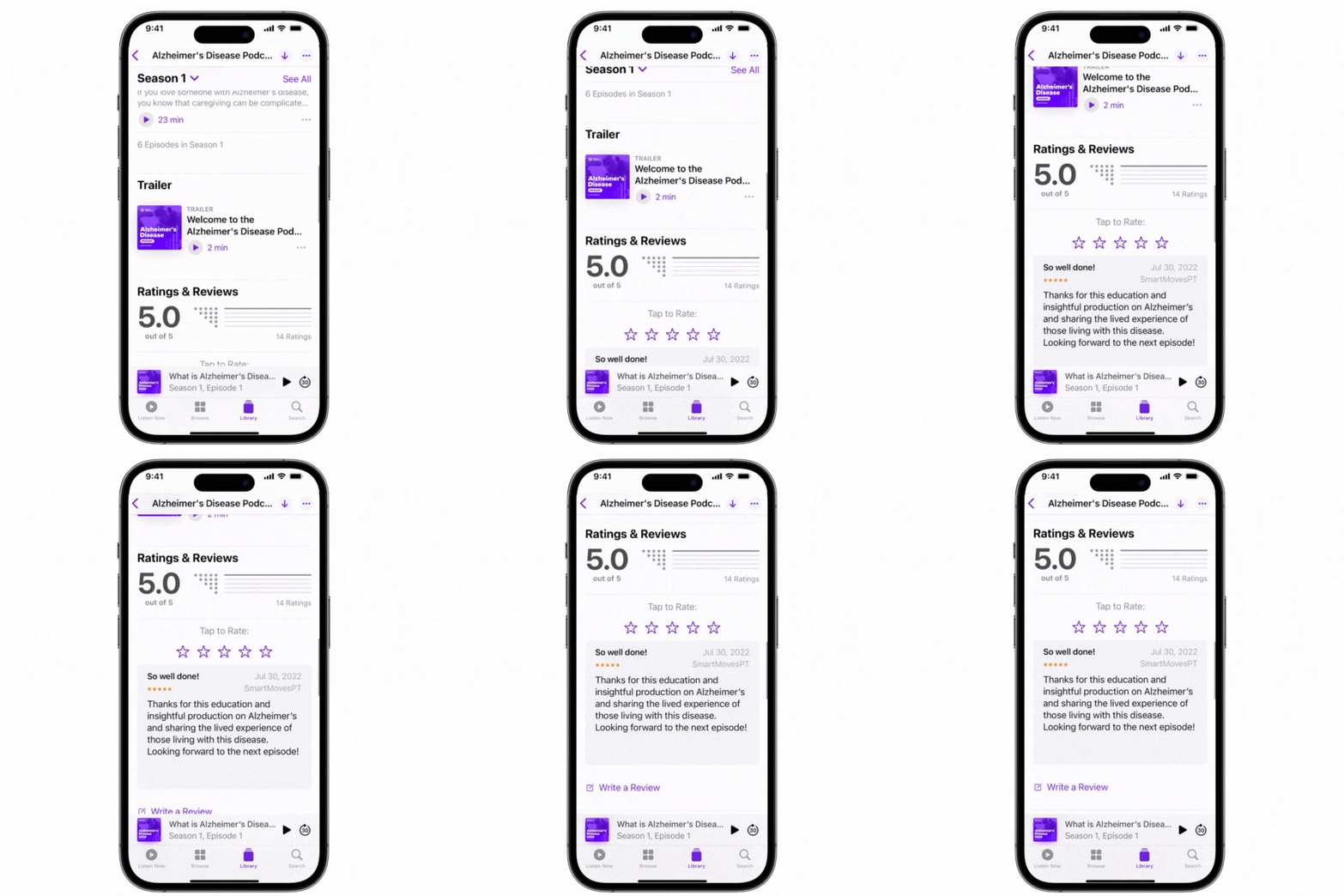
On the show’s page, scroll down to the bottom and tap Write a Review. If you’re not already signed in, you’ll be asked to enter your Apple Account password.
6. Tap the stars to leave a rating
Tap the stars to set your rating. Remember, podcasters can’t reply to reviews — so if you notice an error, message them directly instead.
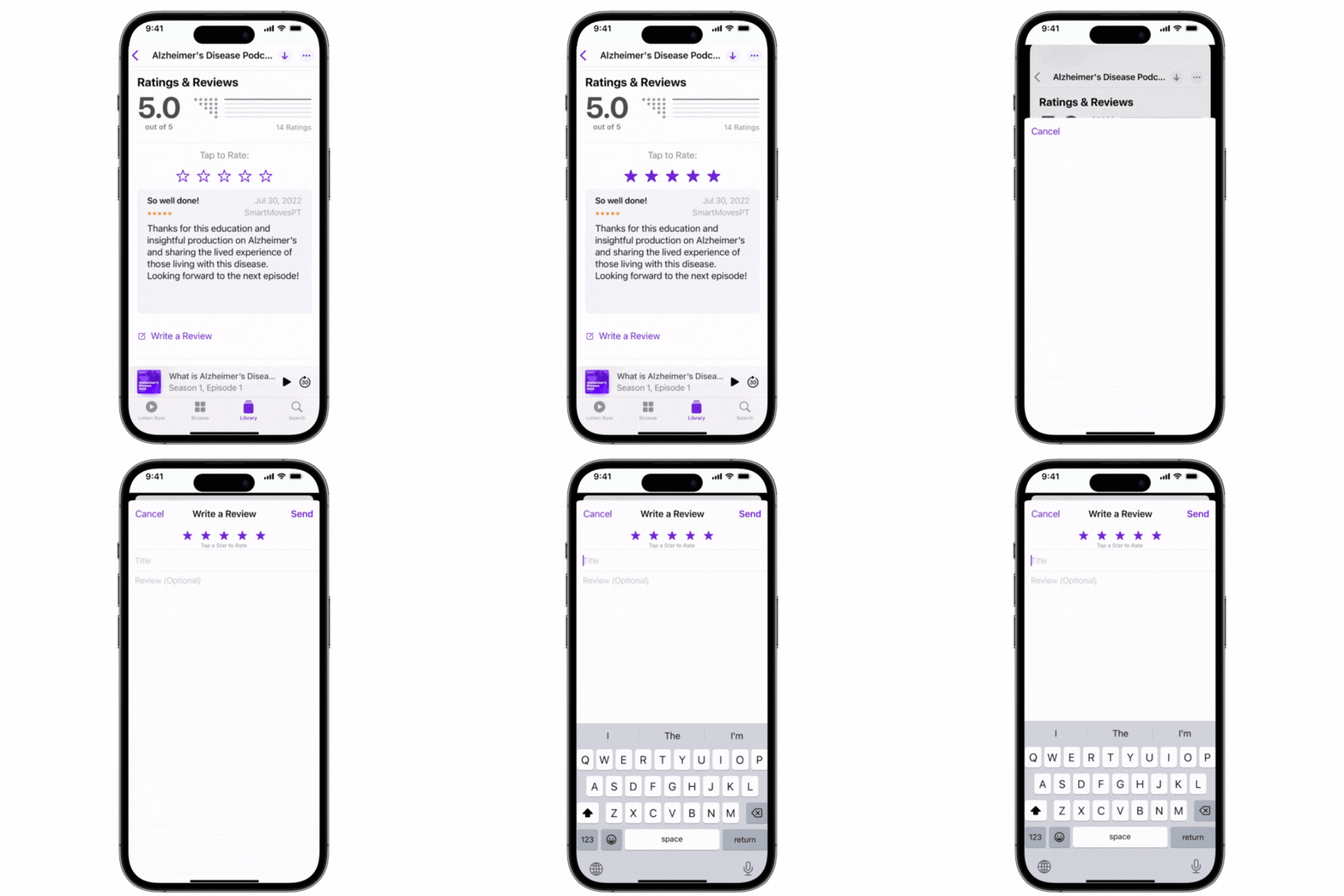
7. Add a title and your review, then send
Enter a title and write your review, then tap Send.
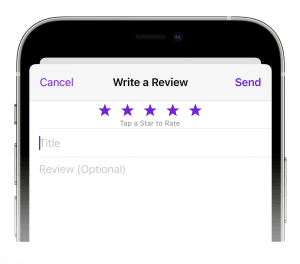
8. Repeat for your other favorites
Do the same for all the shows you love — and feel good about helping the health podcasting community grow. Thank you for your support!